

I’ll bet I know what your company page’s last ten posts look like. A text update. Another text update. Maybe a single photo from a team lunch. Repeat.
Sound familiar? Don’t worry, you’re not doing anything wrong exactly — you’re just doing one thing, over and over, and wondering why the numbers never move. I did the same thing for years on a page I ran, and it took me embarrassingly long to realise the problem wasn’t my writing. It was that I only ever used one format.
Here’s the thing that took me too long to click: LinkedIn gives you seven genuinely different post formats, and each one is built to do a different job. Using three or four of them properly — not perfectly, just properly — changes what your page looks like within a month. I know because I went from posting my LinkedIn content ideas with the same text-and-a-photo combo every week to actually rotating through formats, and my best-performing post that quarter was a carousel that pulled in more comments than my previous twelve posts combined. Twelve. I counted, because of course I did.
So let’s get into it. Seven formats, what each one is actually for, and — because I can’t help myself — a section at the end on how to tell whether any of this worked, using numbers you already have sitting in your account and are probably ignoring.
Why your LinkedIn page analytics should decide what you post next
Quick detour before the list, because this bit matters more than people give it credit for.
“LinkedIn page analytics” sounds like something only an agency would care about. It isn’t. It’s just the numbers LinkedIn already shows you for free — impressions, engagement rate, follower growth — broken down by individual post. You don’t need a dashboard subscription to see it. You need to click one tab you’ve probably never clicked.
Here’s why it matters for this particular topic: if you don’t know which formats are actually working for your page, you’ll keep doing what you’ve always done, because it’s comfortable, not because it’s effective. I’ve watched company pages post the exact same format for eighteen months straight, get asked why engagement’s flat, and genuinely have no idea — because nobody ever opened the analytics tab to check.
I’ve spent enough time picking through this data for company pages — engineering firms, professional services, a couple of retailers — that I ended up building a small LinkedIn analytics tool to make the comparison easier across formats and against similar pages, rather than eyeballing spreadsheets every Friday afternoon. That’s a side note, not the point of this post; I only mention it because it came directly out of doing this exercise manually, badly, for far too long before I built something better.
The point is this: don’t skip to the list below and start posting carousels because I told you to. Check what your page’s analytics are already telling you first. Then use the list to fill the gaps.
Text posts
Text posts are just words. No image, no video, nothing to click through — just your writing, doing all the work.
They’re also the most underrated format on the platform, because everyone assumes they need something “visual” to perform. They don’t. LinkedIn truncates a text post after roughly three lines before showing a “see more” prompt, which means your first sentence is doing more heavy lifting than the other 400 words combined. Nail the opening line, and people stick around. Fumble it, and nothing else matters — the post is dead before anyone’s read past the second line.
Text posts work best for personal stories, genuine opinions, and short, punchy announcements that don’t need a picture to land. A raw, first-person reflection will almost always beat a polished corporate update in this format; readers can smell brand-speak from three lines away, and they scroll straight past it.
Practical tip: use line breaks generously. Short paragraphs, one idea per line, plenty of white space. Most people are reading this on a phone on the train, not at a desk with a coffee, so a dense wall of text is a guaranteed scroll-past.
Image posts
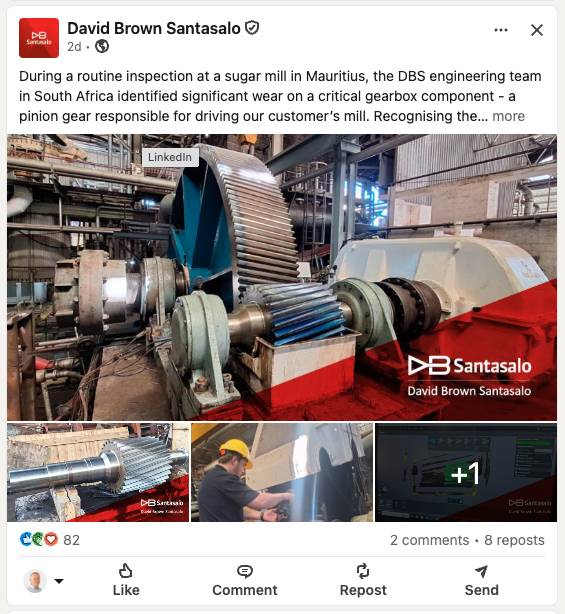
One image, attached to your text, doing exactly what it says on the tin.
LinkedIn’s recommended size is 1200 × 627 pixels — a landscape ratio that holds up cleanly on both desktop and mobile. Use anything smaller and it’ll look stretched or blurry, which undoes the whole point of adding a visual in the first place.
Single image posts are your go-to for quote cards, announcements with branded creative, screenshots, recruiting posts or a photo that genuinely adds something the text alone couldn’t. They’re quick to produce, which is their real strength; you don’t need a design team to knock one out before lunch.
One caution, and it’s an easy trap to fall into: if you find yourself wanting to cram more than one “slide” worth of information into a single image, stop. That’s not a single image post anymore. That’s a carousel wearing a single image’s clothes, and it won’t perform as well squeezed into one frame.
Document posts (carousels)
This is the format I mentioned earlier — the one that quietly outperformed my previous twelve posts combined. You upload a PDF or PowerPoint file (up to 300 pages, though nobody sane is making a 300-page carousel), and LinkedIn renders it as a swipeable card stack right there in the feed.
Why do these work so well? Dwell time. Every swipe is a small signal to LinkedIn that someone’s genuinely engaging with your content, not just glancing and scrolling on. That’s a stronger algorithmic signal than almost anything else on this list, and it’s exactly why carousels tend to travel further than a single image post covering the same topic.
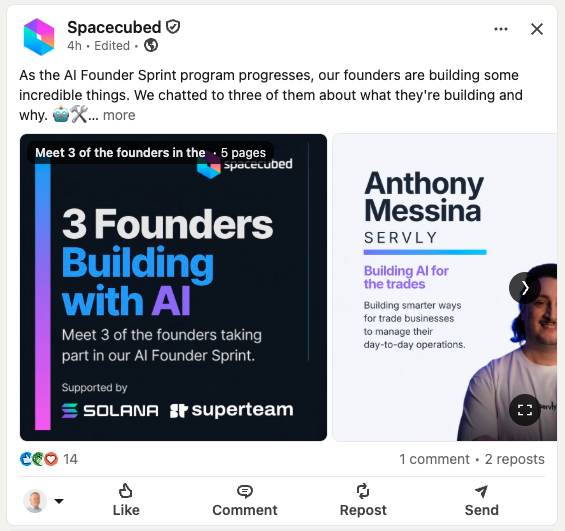
Carousels are ideal for step-by-step guides, listicles (you’re reading one right now, funnily enough), or repurposed content from a blog post or slide deck you’ve already built. Structure matters here more than any other format: slide one needs to hook, exactly like a text post’s opening line; slide two needs to deliver something useful fast, to justify the next swipe; and your final slide should land on a clear takeaway or call to action, because that’s the last thing people see before they decide whether to comment.
Video posts
Native video — uploaded directly rather than linked from YouTube — gets noticeably better reach than an external link. Makes sense when you think about it from LinkedIn’s side: they want you watching on their platform, not clicking away to someone else’s.
You’ve got up to ten minutes, but don’t use all of it. Shorter videos, particularly anything under two minutes, tend to see far higher completion rates. Nobody’s finishing your ten-minute think-piece in their feed at 8pm; they might well finish a sharp ninety-second one.
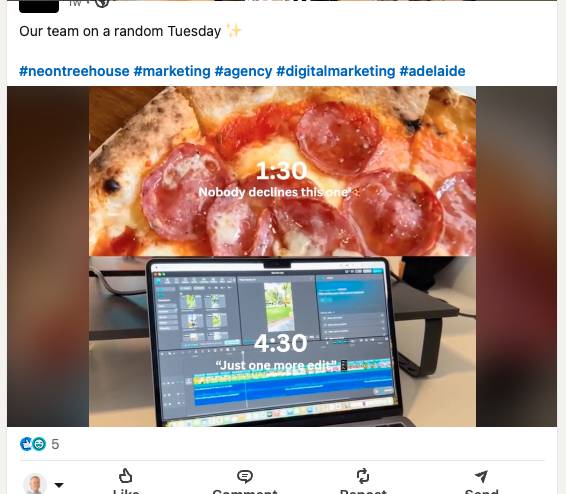
Video posts are best for demos, talking-head commentary on something happening in your industry, or genuine behind-the-scenes content that humanises the page. One easy thing people forget: LinkedIn autoplays video silently. If there’s no caption or on-screen text, most viewers will never hear a word you say — they’ll watch three seconds of muted footage and move on.
LinkedIn articles
Articles are long-form pieces published directly on your LinkedIn profile — essentially a blog post that lives inside the platform rather than on your own website.
Here’s the unusual bit that makes them worth including on this list: unlike feed posts, articles are indexed by Google. That means an article can pull in search traffic from well outside your existing follower base, months or years after you publish it, in a way a regular post never will. I’ve had old articles quietly bring in readers years after I’d forgotten I wrote them.
The trade-off is immediacy. Articles don’t show up in the main feed the way a standard post does, so they typically generate less same-day engagement. What you’re trading that for is longevity — a good article, 800 to 3,000 words on a topic your audience genuinely cares about, keeps working long after a feed post has been buried by the algorithm.
LinkedIn newsletters
Newsletters are a recurring, subscriber-based format. Once someone subscribes, they get a notification — sometimes an email too — every single time you publish a new edition. That’s an enormous advantage over a regular post, which only reaches people scrolling past at the right moment.
Newsletters are best suited to consistent, topic-focused publishing: a weekly roundup, a monthly industry update, something with a rhythm your readers can rely on. Consistency matters more than polish here. A newsletter that arrives reliably every fortnight, even if it’s a little rough around the edges, will build a stronger subscriber base than a beautifully produced one that shows up whenever you remember.
Think of it as the closest thing LinkedIn has to an owned email list. You’re not fighting the algorithm for reach the way you are with a normal post; you’re building an audience that’s actively opted in to hear from you specifically.
Polls
Polls are the fastest way to generate visible engagement on the platform, full stop. You pose a question with up to four answer options, set a duration anywhere from 24 hours to two weeks, and watch the comments roll in.
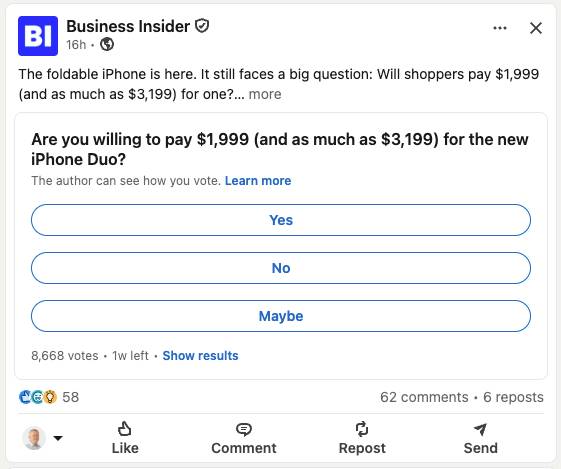
The real value in a poll isn’t the vote count; it’s the comment section underneath. Seeing how others voted tends to prompt people to explain their reasoning, and that explanatory back-and-forth is genuinely high-quality engagement — the kind that tells LinkedIn this content is worth showing to more people.
One word of caution, because I’ve seen this go wrong plenty: don’t run polls just to farm engagement with questions nobody actually cares about. “What’s your favourite day of the week?” isn’t a poll, it’s noise. The best polls ask something your audience is genuinely curious about, or something you’re genuinely curious about their answer to. If you wouldn’t be interested in the result yourself, don’t post it.
Reading your LinkedIn page analytics: what actually tells you a format is working
So you’ve tried a few of these. How do you know if any of it actually did anything?
Ignore the vanity numbers first. Likes feel nice; they tell you almost nothing about whether a format is worth repeating. What you actually want to compare, format against format, is engagement rate, follower growth over the weeks you tested a given format, and click-through if the post had somewhere to send people.
Check this weekly, not daily. I made the mistake early on of refreshing my analytics obsessively — genuinely, multiple times a day, like it was going to tell me something different four hours later. It didn’t. All that got me was mildly anxious and no wiser. Give a format at least a handful of posts and a couple of weeks before you decide whether it’s working; one carousel that flops doesn’t mean carousels don’t work for your page, any more than one text post going viral means you should only ever write text posts from now on.
Your seven-post checklist
Before your next seven posts, try this: use a different format for each one, deliberately, in order. Not because variety is inherently magical, but because it’s the fastest way to find out what your specific audience actually responds to, rather than guessing.
- Post one: a text post with a genuine opinion or personal story, not a corporate update
- Post two: an image or images with real context in the caption, not just pretty pictures with no explanation
- Post three: a document carousel, 8 to 15 slides, one clear idea per slide
- Post four: a short native video, under two minutes, captioned
- Post five: an article, if you’ve got something that deserves 800+ words and a longer shelf life
- Post six: the first edition of a newsletter, if you’re ready to commit to a rhythm
- Post seven: a poll asking something you’re actually curious about
After each one, glance at your page analytics before you post the next. Don’t overhaul your whole strategy off one data point, but start noticing patterns. You’ll have them within a month.
There are a couple of other formats worth knowing about too — LinkedIn Live being the obvious one, though it’s really built for individual profiles rather than company pages, which is why it hasn’t made this list.
Where this leaves you
You don’t need to master all seven of these formats at once. Nobody does that, and if someone tells you they do, they’re probably not being entirely honest with you.
What you do need is to stop ignoring six of them. Pick two or three you haven’t tried properly, run them for a month alongside whatever’s already working, and actually look at what your linkedin page analytics tell you afterwards. That’s the whole exercise. It’s not complicated; it’s just something most company pages never quite get around to doing.
Give it a real month. Then have another look at the numbers — I’d genuinely be surprised if the page looks the same.